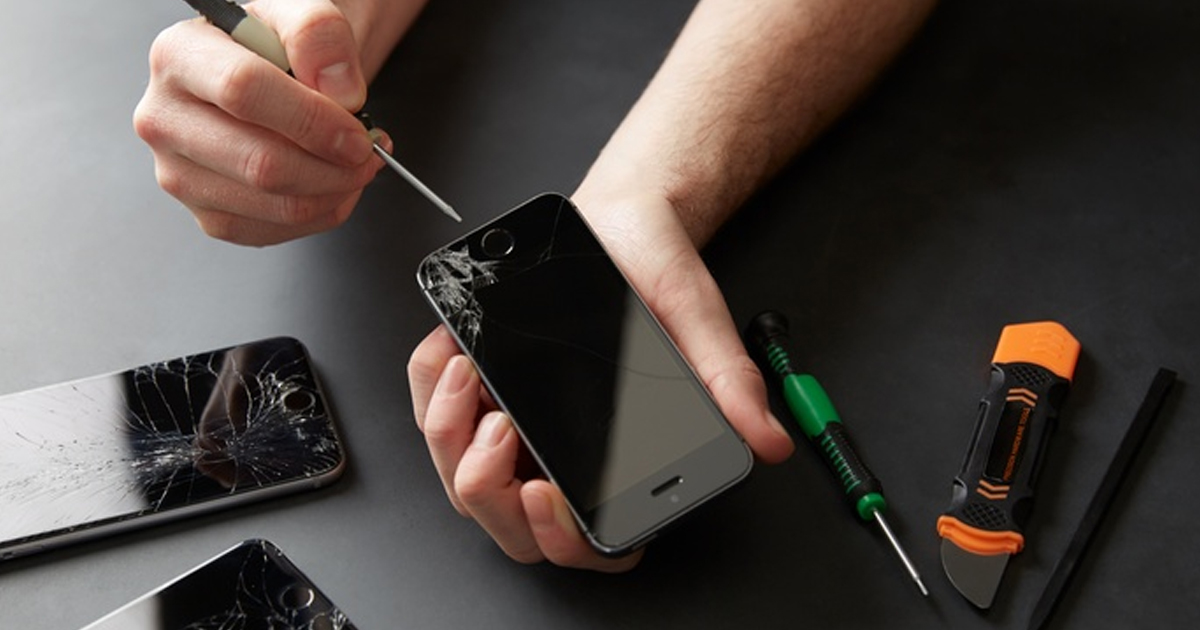
If your phone doesn’t take a charge, it doesn’t always mean the port is damaged. Often, particulate or other foreign objects, such as lint, get compressed into the back of the port, resulting in a bad connection to the cable. Charging ports are sturdy but can still easily be damaged along with other points of entry (such as speaker grills) when cleaned without the right tools or magnification.
If the device isn’t charging, it could also be the charging circuit or battery. Just like if the screen is cracked and causing display glitches, issues, or touch problems, that is a good sign to go to a repair tech. Trying to fix a port or swap a screen by yourself can cause unintended issues and reduced functionality of the device.
You plug your phone in before bed. You wake up to 4% battery and a message that says “not charging” or nothing at all. It’s not dramatic. It’s just quietly annoying, and it usually happens at the worst possible time, right before a trip or a shift you can’t be late for.
Here’s another thing to consider—replacing a charging port requires you to remove the screen. Replacing a dead charging port and a cracked screen are two completely different repairs with different tools, risks, and price tags. Self-repair attempts can push a $30 repair into a $200 repair with the slip of a screwdriver. It’s better to let the repair shop absorb the risk of repair mistakes.
What’s Actually Wrong with Your Charging Port
Before you assume the worst, rule out the boring stuff. It solves this more often than you’d think.
Lint and pocket debris. USB-C and Lightning ports are small, and pockets are dirty. Dust, lint, and micro-debris pack into the port over months until the connector can’t make full contact with the pins. If you don’t have the proper tools and magnification, trying to remove these things is risky.
A worn or cheap cable. Cables are consumable. With bending, the copper inside wears down as well as the contact points on the tip. Cheap cables from other places like gas stations are never manufactured to the same specifications as higher-quality cables. Using a cheap cable can also result in damage to the port.
Water can lead to corrosion on metal parts. Even sweat or moisture from the shower can eventually cause connection issues for a charging port.
Actual physical damage to the port. Bent pins, a cracked housing, or a port that’s come loose from the anchors on the logic board inside are also common issues. In this situation, a port replacement is necessary. Ports can either be attached to the rest of the device with screws or can be soldered directly to the logic board. Either is a risky repair when attempted without the proper tools and experience.
What to remember: Improper cleaning can damage the delicate contacts inside a charging port and turn a simple cleaning issue into a more expensive repair. A bent paperclip pin can turn a $30 cleaning into a $150 port replacement.
Signs You Need a Professional, Not a YouTube Tutorial
A few signs that you need a professional repair:
- The phone charges only when you hold the cable at a specific angle
- You see visible corrosion or bent pins
- The phone got wet in the last few weeks, even briefly
- Charging works with a wireless pad but not the cable
Any one of these issues points to internal damage. This is exactly the kind of case where phone charging port repair from a shop that does micro-soldering pays for itself. A technician can remove the screen, check the connector closely under magnification, then swap the damaged port.
Cost is usually where people hesitate. Port repairs typically cost a fraction of the price for a new phone and can be completed within a couple of hours. Waiting doesn’t help either. A port that’s intermittently connecting today is often a port that’s not functional in a few weeks, once corrosion or a cracked solder joint finishes the job.
What About the Screen? When a Crack Stops Being Cosmetic
A cracked screen is a different animal entirely and can manifest unforeseen issues if not addressed.
Not every crack needs immediate attention. A spiderweb in the corner that doesn’t affect touch response is annoying but not urgent. Three things change that:
- Touch response is inconsistent. This means that the device’s digitizer is failing to function, making things like data transfers much harder. Even worse, some devices “ghost touch” meaning that the display thinks it’s receiving input commands when it isn’t. This can quickly lead to being completely locked out of your device.
- The display shows lines, discoloration, or dead pixels. That’s damage to the LCD or OLED panel underneath the glass, and it only gets worse, not better.
- Glass shards are lifting. A phone that’s actively shedding glass is a cut risk every time you pick it up.
For iPhones specifically, iphone screen repair has gotten more complicated over the last few generations. Newer models pair the screen to the phone’s True Tone sensor and Face ID hardware, so a low-quality aftermarket screen or botched repair can disable features the original screen supported.
If the phone is relatively new, fixing the screen often costs less than buying a new device. It also positively affects the amount of waste on our precious planet.
DIY vs Professional: What Actually Saves You Money
I get why people reach for a $15 screen repair kit or a $6 charging port cleaning tool. The upfront cost looks great. But here’s the math that doesn’t show up in the product reviews:
The failure rate on DIY screen kits is the part nobody advertises. Getting the adhesive seal right on a modern phone, especially anything with water resistance, takes practice most people only get after their third attempt, on their own phone. Add in other potential unforeseen damage done to the device and having a professional help out starts to make sense.
What to Expect at a Repair Shop in Wichita
For some issues, a decent shop starts with diagnosis before repairing, not a quote before they’ve even opened the device. For charging port issues specifically, that means testing the port under a scope, checking for corrosion or lifted solder pads, and confirming the battery and charging chip aren’t the actual culprits.
For screens, expect a walkthrough of part options. Original manufacturer parts (OEM) cost more but preserve every feature. Quality aftermarket parts are less costly and sufficient for most daily use, but they can affect True Tone or brightness matching certain iPhone models. A shop that explains that trade-off up front, instead of just handing you the cheapest option, is one worth trusting with the repair.
Turnaround matters too. Most charging port and screen jobs for common phone models are done the same day. Some get wrapped up in about an hour if we have the parts nearby and do not need to order them.
Frequently Asked Questions
Q: Why will my phone not charge even with a new cable?
A: If a known working cable still fails to charge the phone, the issue is usually inside the port. It can be lint or debris, rust or corrosion, or broken metal pieces on the connector. Sometimes the solder points inside the device get damaged too.
Q: Can I clean the charging port on my own?
A: This is generally not recommended. The delicate port can easily be damaged if pressure is applied to the wrong place, especially with the wrong tools. Compressed air may seem like a good idea, but a quick YouTube search will show you videos of people blasting the display completely off the phone due to incorrect air pressure.
Q: What does a charging port repair usually cost?
A: Charging port repair can cost as little as $30 for a thorough cleaning or as much as $150 for a replacement.
Q: Should you fix a cracked iPhone screen?
A: In most cases, yes. Especially when it is a relatively new device. Screen repair is usually cheaper than swapping the whole device. It also prevents users from having to go through the headache of data transfers.
Q: How long do screen or charging port repairs take?
A: Most repairs for popular phone models are finished the same day. Many are done within one to two hours when the right parts are already on hand.
Q: Will an inexpensive third-party screen be fine on my iPhone?
A: Not all third-party screens are created equal. Some shops might install what is called a “Hard OLED” or “Incell” part without informing the customer. These displays are not only less resilient than higher-quality ones but also don’t emit the required display brightness without burning through your battery. An honest repair shop will inform you of these differences in performance and cost so that you can make an informed decision.